HCL DevOps Test 2025.12(v11.0.7) Brings Cool New Features for a More Enjoyable Testing Experience

As the year winds down, many of us pause for the festive season, but the technology landscape certainly doesn’t. When you return in early January, refreshed from a well-deserved break, you’ll find our latest quarterly release ready for exploration in your MyHCLSoftware portal. This update is a curated set of innovations designed to elevate how modern enterprises approach quality engineering. Let’s take a closer look at what’s inside.
Part of the wider HCL DevOps Loop platform is intended to address the complete DevOps agile methodology, from planning the releases to testing them, deploying them to production and optimizing the value streams. Now we’re pleased to announce the latest version of our automated software testing portfolio, DevOps Test 2025.12 (11.0.7). As you may know already, HCL DevOps Test is an intelligent automated software testing tooldesigned to increase the overall quality of your applications while reducing their time to market.
With this release, DevOps Test further strengthens its position as a leading automated software testing tool for modern DevOps teams.
Here’s to a promising new year! Let’s get started.
Improvements Have Been Pushed To DevOps Test Hub for UI Test Authoring
To make the user experience more fluid and natural, we have brought new cool features, some of which were collected by our users, and we can highlight:
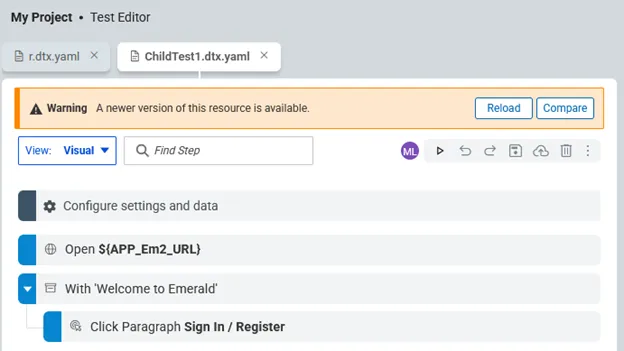
- Since testing naturally involves collaboration, users struggled with concurrent editing conflicts. We now provide clear warnings when a user is modifying or deleting a test you’re working on, or when an edit-branch the user is working on has been merged or discarded by someone else. See an example of this, where there’s an indication of another user changing the asset currently being edited.
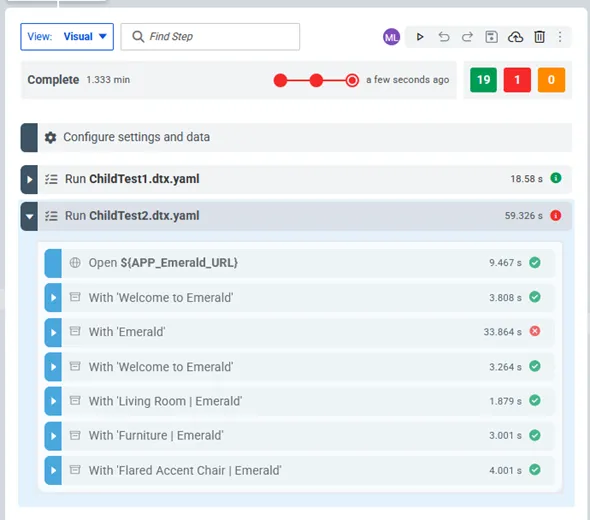
- We’ve enabled extremely useful, quick access to failure details directly from the test editor, as well as the capability to export the results table to a CSV file. Step verdicts are also clearly displayed in the test editor, even when they’re contained in child tests.
- Support for W3C protocol implementation for browser automation has been brought to DevOps Test UI for more complete functional coverage.
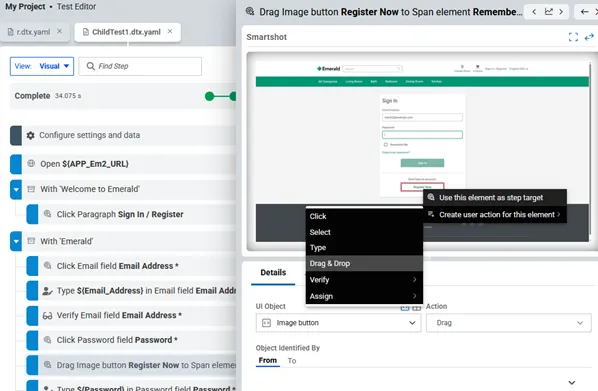
- Extended support to manage drag and drop actions directly from the Smartshot displayed in the test editor has also been added.
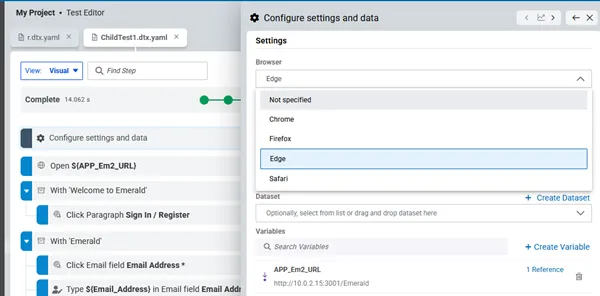
- Saving the default browser in the test is now available, rather than only using the recorded browser when editing a test. The browser choice can still be changed at execution time.
Leveraging AI To Define Appropriate Data Generators
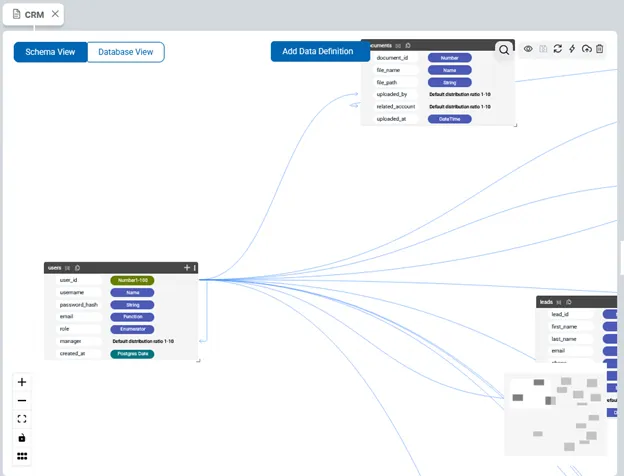
When importing a schema from an existing database, setting the appropriate data generator in the imported schema can be a tedious task. For each field of each table imported into the schema, we’re leveraging AI to help users determine which data generators are the most likely mappings.
Using Local Machines as Agents Available for Test Execution
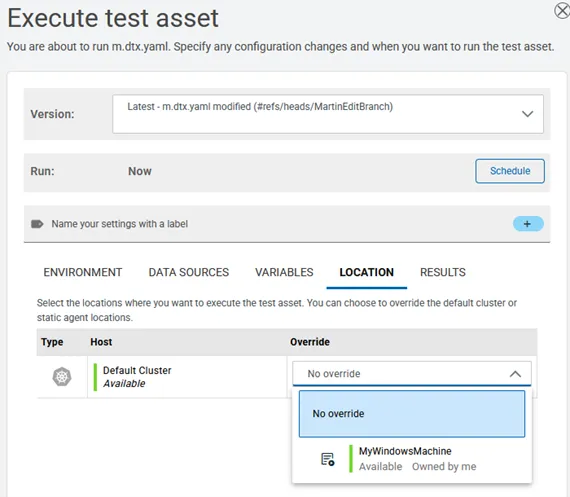
This option is particularly useful when the test must be executed on a specific browser version or in a specific environment, such as when running on Safari. It’s now possible to use a locally connected machine as an agent, on which execution will happen in a visible, non-containerized way.
Enabling Native AI Workflows with MCP Integration
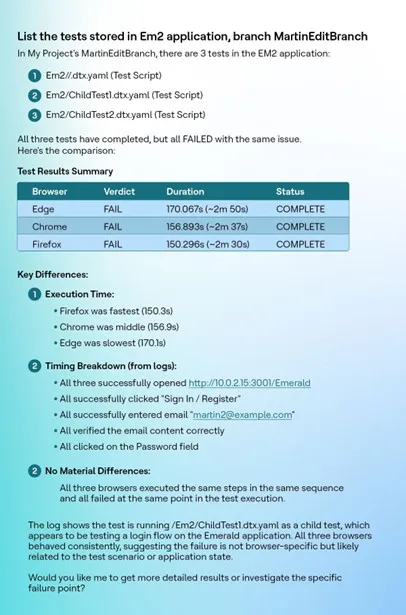
MCP (Model Context Protocol) is emerging as a standard protocol for integrating AI tools. DevOps Test Hub now embeds an MCP Server with an initial set of tools, allowing users to seamlessly interact with the server, such as asking questions about existing tests, running them, and obtaining a results summary. When used from DevOps Loop, the MCP server contained in the DevOps Test Hub will be useful for implementing a complex set of actions.
For more details on HCL DevOps Test Hub, see the release notes here.
Please visit HCL DevOps Test for more information about our automated software testing product or get a free trial.

Start a Conversation with Us
We’re here to help you find the right solutions and support you in achieving your business goals.