10 Best Endpoint Management Software Solutions

|
Key Takeaways Here are the 10 best endpoint management software solutions:
|
One overlooked device can create a chain reaction: a security breach, a failed audit, or downtime that halts critical operations, highlighting the importance of data protection.
Keeping track of all endpoints, enforcing policies, and staying compliant can be exhausting without the right tools, especially given the need for timely software updates. Endpoint management software streamlines device monitoring, updates applications, and maintains control across an entire organization.
Here’s a look at the top 10 endpoint management solutions that simplify security, compliance, and day-to-day management.
What Is Endpoint Management Software?
Endpoint management software is a centralized platform that IT teams use to monitor, secure, and manage all endpoints across an organization. This includes laptops, phones, tablets, servers, and even IoT devices.
A report found that only 54 % of perimeter-device vulnerabilities were fully remediated by organizations during 2024–25, leaving nearly half unaddressed—highlighting why this software has become mission-critical.
Endpoint management software provides a single dashboard for pushing updates, applying security patches, managing security threats, enforcing policies, and monitoring activity. This enables employees to work from anywhere on any device, while IT ensures compliance and protection through robust security features.
|
Read more: What is Endpoint Management |
What Are the Types of Endpoint Management Software?
Depending on the devices your organization needs to control, you’ll typically encounter three main types of endpoint management tools:
- Unified Endpoint Management (UEM): Covers all types of endpoints, including desktops, laptops, mobile devices, and IoT, from a single platform
- Mobile Device Management (MDM): Focuses specifically on smartphones and tablets; effective for managing mobile apps, enforcing policies, and supporting bring-your-own-device (BYOD) programs
- Client Management Tools (CMT): Primarily supports PCs and laptops. CMTs usually handle patching, software deployment, and remote access control, but don’t extend well to mobile or IoT devices
Must-have Features of Endpoint Management Software
Here are the essential features every endpoint management solution should provide:
1. Automated Asset Discovery and Inventory
Detects and catalogs all devices, including laptops, mobiles, servers, and IoT, to prevent blind spots and shadow IT
2. Comprehensive Patch Management
Automates vulnerability detection, prioritization, and updates across operating systems to close security gaps quickly
3. Centralized Policy Management
Creates and deploys consistent security configurations across endpoints, reducing risk and administrative overhead
4. Compliance Monitoring and Reporting
Provides templates and automated reports to meet regulations like GDPR and HIPAA while flagging gaps early
5. Remote Management and Control
Let's IT troubleshoot, update, and secure devices from anywhere, minimizing downtime and maintaining continuity.
6. AI-driven Threat Detection
Uses machine learning to spot unusual activity on endpoints and automate rapid remediation
7. Zero Trust Integration
Continuously verifies device health and user identity before granting access, ensuring least-privilege security.
8. Endpoint Analytics and Insights
Tracks performance and usage trends to predict failures, optimize resources, and improve user experience
The 10 Best Endpoint Management Solutions in 2026
The following are 10 of the best endpoint management software solutions to consider for managing end-user devices.
1. HCL BigFix Endpoint Management
HCL BigFix endpoint management software
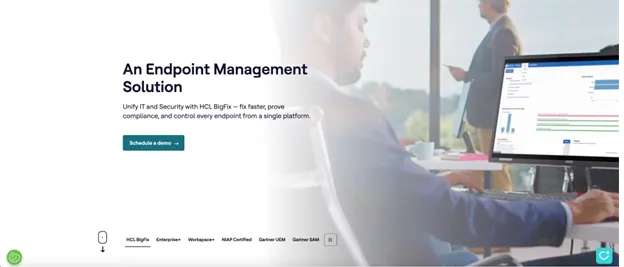
HCL BigFix is an AI-powered endpoint management platform that automates and secures IT operations at scale across multiple operating systems. It enables organizations to protect, monitor, and manage endpoints across nearly 100 operating systems through a single, unified console.
The tool delivers AI-driven analytics, comprehensive device coverage, and robust compliance safeguards, making it a complete solution for modern enterprise endpoint management.
It's the only NIAP-certified endpoint management solution available today, offering award-winning compliance features and lightning-fast patching across hybrid, cloud, and on-premises environments. The platform's AI-driven automation reduces operational complexity while providing near real-time visibility and continuous compliance monitoring.
Organizations in heavily regulated industries such as finance, healthcare, and government find HCL BigFix particularly valuable for reducing risk while managing diverse endpoint environments.
HCL BigFix Key Features
- Automates patch deployment, compliance checks, and remediation with minimal manual effort
- Manages everything from Windows, macOS, Linux, and UNIX to legacy and specialty devices
- Enforces industry standards and regulatory benchmarks (CIS, NIST, PCI) in real time
- Provides a single pane for monitoring, reporting, and analytics across all endpoints
- Rapidly identifies, prioritizes, and remediates endpoint vulnerabilities through award-winning analytics
- Empowers IT to support and secure devices used by a dispersed workforce
- Offers extensive scripting and API options for automating workflows and connecting with existing IT infrastructure
|
Gartner thinks HCL BigFix is worth your attention Gartner’s 2026 Magic Quadrant for Endpoint Management Tools highlights HCL BigFix Workspace+ as a Leader. That recognition reinforces what IT teams already know: HCL BigFix delivers near-real-time visibility, faster patching, and stronger control across every device. |
HCL BigFix Pros
- Saves time and reduces mistakes by automating the patching of workflows.
- Offers great flexibility in how tasks are completed.
- Easily scalable to accommodate growth and larger environments.
- Extremely versatile and capable of handling a wide range of management tasks across diverse needs.
- Effective in handling vulnerability remediation.
HCL BigFix Cons
- Initial complexity can overwhelm new users.
- The web-based console lacks some essential features.
- Some prebuilt content lacks flexibility, limiting adaptability.
HCL BigFix Ratings
- Gartner: 4.5/5 (373+ reviews)
|
Case study: Connectria uses HCL BigFix for cross-platform endpoint management Connectria faced rising costs, complexity, and inefficiencies from using multiple tools to manage endpoint compliance and visibility. After deploying HCL BigFix, the company gained centralized, cross-platform visibility and automated key workflows. This led to a 30-40% improvement in client onboarding speed, an increase in patch success rates from 60-92%, and a 15-20% boost in operational efficiency. The streamlined setup also enhanced service delivery and reduced the workload for both staff and clients. |
2. ManageEngine Endpoint Central
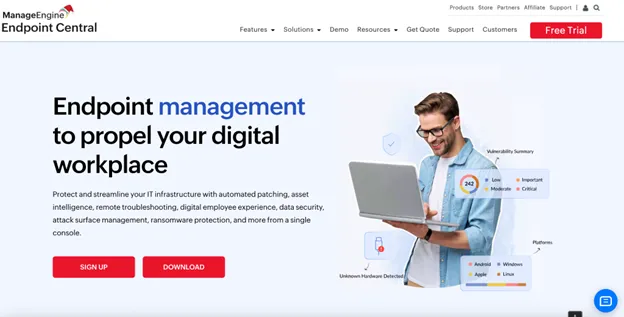
ManageEngine Desktop Central is a unified tool for patching, managing, and securing enterprise endpoints.
ManageEngine Desktop Central (now Endpoint Central) is a unified endpoint management and security solution that helps IT teams manage, secure, and automate endpoints from a single console. It supports desktops, servers, laptops, and mobile devices across Windows, macOS, Linux, iOS, and Android environments.
The platform automates patch management, software deployment, asset tracking, remote troubleshooting, and configuration management, enabling organizations to improve endpoint security, maintain compliance, and streamline IT operations efficiently at scale.
ManageEngine Endpoint Central Key Features
- Automated patch management to scan, test, and deploy OS and third-party updates across endpoints.
- Software deployment for centralized installation, updates, and removal of applications.
- Asset and inventory management provides real-time visibility into hardware, software, and licenses.
- Mobile device management (MDM) to enforce security policies and manage mobile endpoints.
- Remote troubleshooting and control for secure, real-time endpoint support and issue resolution.
ManageEngine Endpoint Central Pros
- Delivers reliable automated patching and software deployment across multiple endpoint scenarios.
- Provides broad endpoint management features, including MDM, asset management, and remote troubleshooting.
- Offers a cost-effective and dependable solution for day-to-day IT operations.
- Works particularly well in Windows-centric and on-prem environments
ManageEngine Endpoint Central Cons
- The user interface can be confusing and cluttered, especially for new users.
- Initial setup and configuration can be complex and time-consuming.
- Some workflows, like scanners, filters, and dynamic grouping, are not fully streamlined.
- Support quality and communication can be inconsistent.
- Certain areas, such as macOS support, BitLocker automation, and failover, need improvement, and additional add-ons can increase the platform's overall cost.
3. Microsoft Intune (UEM)
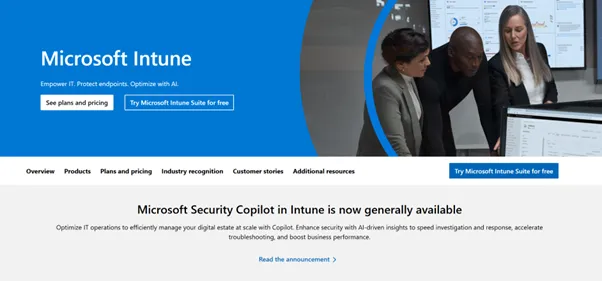
Microsoft Intune’s UEM offering optimized IT Ops
Microsoft Intune locks device access to corporate resources through conditional access policies tied to compliance states, enhancing its configuration management capabilities. The platform wraps mobile applications without requiring app store resubmission, while co-management with Configuration Manager handles hybrid cloud-on-premises scenarios.
Additionally, Intune's Autopilot feature provisions Windows devices directly from manufacturers to end users.
Microsoft Intune Key Features
- Centralized dashboard for device and app management
- Zero-trust architecture for secure access control
- BYOD and company-owned device support
- Continuous compliance monitoring
- Deep integration with Microsoft 365, Azure and other Microsoft services
Microsoft Intune Pros
- Improves device enrollment speed and security.
- Simplifies patch management with Autopatch and clear reporting.
- It’s easy to manage from the browser.
Microsoft Intune Cons
- Support quality is inconsistent.
- Grouping logic is overly broad and lacks flexibility.
- Missing a purpose-built grouping model tailored for MDM scenarios.
- Limited and inconsistent support across non-Windows platforms.
4. Ivanti Neurons
Ivanti Neurons reduces risk with its endpoint management software
Ivanti Neurons performs self-healing through machine-learning algorithms that predict and resolve endpoint issues.
The platform's Risk-Based Authentication (RBA) adjusts security requirements based on user behavior analytics. Neurons also integrates with ServiceNow and other ITSM platforms to create automated incident resolution workflows. Its Patch Intelligence feature uses vulnerability data to prioritize updates based on actual exploit risk rather than just severity scores.
Ivanti Neurons Key Features
- AI-powered automation for near real-time detection and remediation of IT and security issues
- Unified agent management and policy enforcement across endpoints
- Exposure and vulnerability management with risk-based prioritization
- Integration platform (iPaaS) for connecting IT and business systems
- Digital employee experience monitoring optimizes productivity
Ivanti Neurons Pros
- Accessible via a web browser, eliminating the need for local client installation.
- Aligns well with ITIL best practices to support structured IT operations.
- Boosts efficiency through strong workflow automation.
Ivanti Neurons Cons
- Missing core ITSM features, such as customizable dashboards and effective global search.
- Out-of-the-box functionality is minimal; nearly everything requires complex customization.
- The self-service portal is outdated, limited in function, and not mobile-friendly.
- Third-party integration options are restricted.
5. VMware Workspace ONE
Workspace ONE offers a cloud native UEM solution
VMware Workspace ONE separates device management from corporate data through its unified access gateway architecture. Its Content Locker creates encrypted containers on personal devices, while Workspace ONE Tunnel routes corporate traffic through secure connections.
The platform also includes Hub Services that provide single sign-on (SSO) across 3,000+ pre-integrated cloud applications.
VMware Workspace ONE Key Features
- Strong login security with single sign-on (SSO) and multi-factor authentication (MFA)
- Conditional access policies based on user identity, device compliance and location
- Integration with identity and access management tools like Google Workspace and Azure AD
- Comprehensive mobile device management for endpoint security and compliance
VMware Workspace ONE Pros
- Fast, stable, and more feature-rich when used alongside other MDM tools.
- Flexible device management for apps, profiles, documents, and control.
- Supports multiple OS platforms to consolidate management.
- App wrapping enhances application security.
VMware Workspace ONE Cons
- Lacks easy multi-tenant integration, requiring duplicate deployments.
- Frequent console updates can disrupt workflows.
- Support (L1/L2) often lacks product knowledge and resolution efficiency.
- Reliance on the WNS push channel causes issues behind proxies.
6. NinjaOne
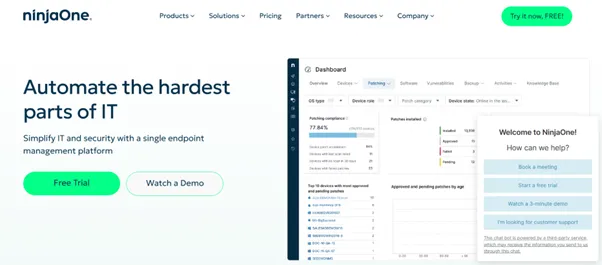
NinjaOne automates IT Ops with ease
NinjaOne provides real-time endpoint monitoring through lightweight agents that consume minimal system resources. The software’s scripting library includes over 300 prebuilt PowerShell and Bash scripts for everyday maintenance tasks.
Its ticketing integration automatically creates incidents from monitoring alerts and tracks resolution times. Beyond that, NinjaOne's remote access uses WebRTC for browser-based connections without requiring additional software installation.
NinjaOne Key Features
- Complete automated patch for Windows, macOS, Linux, and third-party applications
- Endpoint security solutions integrated with cloud authentication
- Seamless integration with antivirus, security monitoring, and various service providers
- Centralized dashboard for comprehensive endpoint visibility and control
NinjaOne Pros
- Offers tools to quickly send scripts to devices or groups based on tags or filters
- Its web-based GUI is easy to navigate with fast search
- Complete remote access with command line and UI
- Strong patch management for workstations and servers with control over approval and installation
NinjaOne Cons
- Agent installation issues cause delayed device discovery
- New features take several months to become stable and usable
- Lack of built-in patching logs requires manual checks on hosts
- Reporting features lack some details and longer timeframe options
7. IBM Security MaaS360

Avoid UEM challenges with IBM Security MaaS360
IBM Security MaaS360 uses Watson AI to analyze device behavior patterns and flag anomalies in near real-time, including those from remote devices. Its Secure Productivity Suite creates encrypted document containers that sync across devices through IBM Cloud.
Furthermore, MaaS360's app wrapping technology adds security policies to mobile apps without source code access.
IBM Security MaaS360 Key Features
- Centralized device management across diverse operating systems
- Near real-time threat detection and automated remediation guidance
- Seamless integration with Microsoft products and other third-party tools
- Support for rapid device enrollment and configuration
- Comprehensive endpoint security management and compliance reporting
IBM Security MaaS360 Pros
- Highly secure and user-friendly.
- Reduces setup effort with a hassle-free device enrollment process.
- Scales effectively to support growing or evolving business needs.
- Enhances IT decision-making with clear visibility into device health and OS details.
IBM Security MaaS360 Cons
- Some features are hard to understand, and the online documentation is lacking.
- Occasional performance issues, such as enrollment or sync delays.
- Customization can be complex and time-consuming to implement.
- The admin portal can be slow at times.
- The additional cost of remote viewing features may be a barrier.
8. Tanium
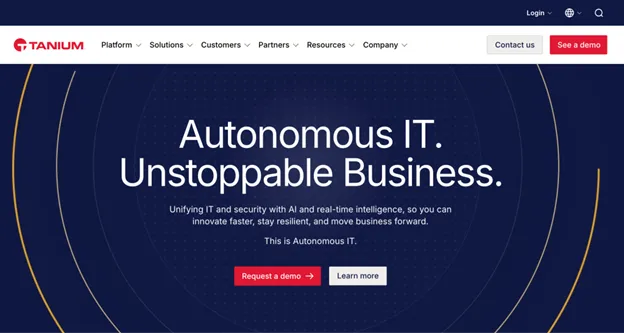
Tanium provides real-time endpoint visibility and control across distributed devices through a single, scalable platform.
Tanium is a unified endpoint management and security platform that delivers real-time visibility, control, and remediation across enterprise devices. It empowers IT and security teams to manage, secure, and automate endpoint operations at scale, improving resilience and operational efficiency. With a single console and AI-driven capabilities, Tanium helps organizations identify vulnerabilities, enforce policies, and respond rapidly to threats across complex environments.
Tanium Platform Key Features
- Real-time endpoint visibility and control
- Asset discovery and inventory
- Vulnerability identification and remediation
- Patch and software management
- Threat detection and response
- Compliance and configuration monitoring
- Sensitive data monitoring and risk reporting
- Unified IT and security operations from a single platform
Tanium Pros
- Delivers real-time endpoint visibility and action at enterprise scale within seconds.
- Offers a broad, unified platform covering endpoint management, security, patching, and automation.
- Provides strong automation, scripting, and API capabilities for advanced customization.
Tanium Cons
- Has a steep learning curve and requires skilled resources to operate effectively.
- The user interface and workflows feel dated and cumbersome to navigate.
- Pricing and total cost of ownership are high, limiting appeal for smaller organizations.
- Misconfigurations or heavy indexing can lead to high CPU utilization on endpoints.
- Some features are loosely integrated, buggy, or not fully usable at release.
9. Symantec Endpoint Management (Broadcom)
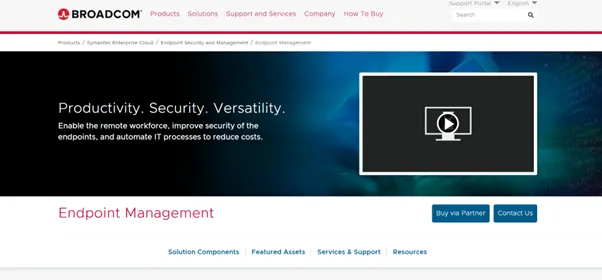
Symantec Endpoint Management by Broadcom ensures productivity
Symantec Endpoint Management runs on the Altiris platform, which processes management tasks through its Notification Server architecture. The solution's Software Management Framework handles complex dependency chains during application deployments.
What’s more, the platform includes Ghost imaging technology for bare-metal deployments.
Symantec Endpoint Management (Broadcom) Key Features
- Comprehensive device discovery and inventory management
- Advanced malware protection and threat detection
- Centralized policy enforcement and compliance reporting
- Integration with Broadcom’s broader security portfolio
- Support for Windows, macOS, Linux, and mobile devices
Symantec Endpoint Management (Broadcom) Pros
- Highly granular and customizable reporting capabilities
- Strong support for customization
- Provides clear visibility into software licenses and compliance
- Detailed reporting on software usage and licensing
- The deployment process is straightforward and timely
Symantec Endpoint Management (Broadcom) Cons
- Poor support for non-strategic customers since the acquisition
- Built on outdated .NET framework technology
- Requires deep understanding of product operations, features and database design to maximize value
- After-sales and technical support can be slow and unresponsive, even with a support package
10. Citrix Endpoint Management
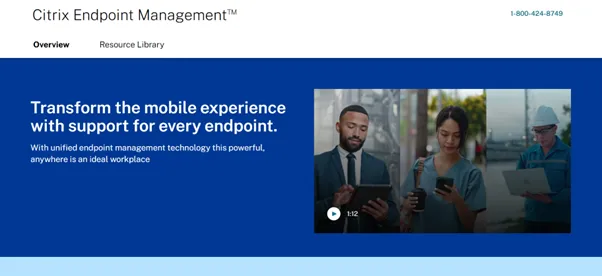
Support every endpoint with Citrix Endpoint Management
Citrix Endpoint Management integrates with Citrix Virtual Apps and Desktops to publish corporate applications to mobile devices. The platform's WorxMail app prevents email forwarding and copy-paste operations through MDX technology.
Plus, its ShareFile integration provides secure document storage with watermarking and expiration controls.
Citrix Endpoint Management Key Features
- Mobile application management (MAM) with remote app deployment and removal
- Alerts for unmanaged devices and comprehensive reporting
- Unique micro VPN technology for secure enterprise workspaces
- Scalable for corporate IT environments with seamless OS integration
Citrix Endpoint Management Pros
- Smooth integration with Microsoft management tools like MEM and Intune
- Simple installation process with good app integration capabilities
- Enables authorized users to access data on mobile devices securely
Citrix Endpoint Management Cons
- Connection issues occur frequently at the individual user level
- Device policy management can be awkward and unintuitive
- Some components, like NetScaler, LDAP/Active Directory, and DNS, require separate configuration and maintenance outside the Citrix suite
- Logs are challenging to understand and need enhancement
Important Things to Consider When Choosing an Endpoint Management Software
Let’s walk through the factors to consider when selecting an endpoint management solution.
Infrastructure and Deployment Model
Start by evaluating your infrastructure capacity and preferred deployment approach.
Key decisions to make:
- Whether your team can manage on-premises infrastructure or needs cloud simplicity
- How much bandwidth can you dedicate to device communications and software downloads
- Whether your security policies allow cloud-based device management
Device Types and Operating Systems
Count your devices and identify what you're managing. Most organizations have a mix of Windows computers, Macs, smartphones, and tablets, but some also manage kiosks, point-of-sale systems, or specialized equipment.
Integration With Current It Operations
Your endpoint management platform needs to work with existing systems, not replace them. Evaluate how seamlessly it integrates with your help desk software, monitoring tools, and Active Directory (AD). AD integration is especially valuable because it enables automatic user and device discovery, policy enforcement based on AD groups, and single sign-on (SSO) for IT teams, making it easier to manage endpoints at scale while maintaining consistent access and controls across the organization.
Administrative Workload and Expertise Required
Different platforms demand different skill levels and time commitments. Assess your team's capacity for:
- Learning new administrative interfaces and procedures
- Writing custom scripts for automation and compliance
- Troubleshooting agent problems and connectivity issues
- Managing software deployments and patch testing
Monitoring and Problem Detection
You need visibility into device health and security status without being overwhelmed by alerts. Look for platforms that offer:
- Near real-time alerts for security threats and system failures
- Dashboard views showing overall device health and compliance status
- Historical reporting for capacity planning and audit requirements
Remote Access and User Support
Remote support capabilities directly impact your help desk efficiency. Browser-based tools are convenient but may lack features, while dedicated remote access software provides more control but requires installation.
Evaluate your remote support needs:
- Whether technicians need complete desktop control or just monitoring
- If you need unattended access for after-hours maintenance
- How remote sessions will be documented for security and compliance
Compliance and Security Requirements
Regulatory requirements often dictate specific endpoint management features.
Verify compliance capabilities:
- Automated reporting for your specific regulatory requirements
- Data encryption and access controls that meet your security standards
- Audit trail capabilities for tracking changes and access
Budget and Total Cost of Ownership
Look beyond initial licensing costs to understand the financial commitment — factoring in training time, professional setup services and ongoing support costs.
Calculate realistic costs for:
- Licensing fees based on actual device counts and growth projections
- Implementation services and staff training requirements
- Annual support and maintenance fees over 3-5 years
Unify Your Endpoints With HCL BigFix
Each endpoint management platform offers something different. The key is to find one that aligns with your team's workflow and technical comfort level.
While each solution has its strengths, HCL BigFix stands out for its comprehensive automation capabilities and proven enterprise scalability. Its approach to patch management and security monitoring eliminates much of the manual work that can bog down IT teams.
Try HCL BigFix for free today!
Frequently Asked Questions (FAQs)
How does continuous compliance monitoring differ from traditional point-in-time scans?
Continuous compliance monitoring provides near-real-time oversight of your endpoints, instantly detecting and remediating configuration drift as it occurs. Unlike point-in-time scans, which provide only a snapshot, continuous monitoring ensures your systems remain compliant at all times, reducing the risk of unnoticed vulnerabilities or policy violations.
Why is automated patch prioritization important for vulnerability management?
Automated patch prioritization helps focus your resources on the most critical vulnerabilities by considering factors such as exploitability and asset importance. This targeted approach prevents wasted effort on low-risk issues, speeds up remediation of high-risk weaknesses, and strengthens your overall security posture.
Can a single-agent architecture effectively manage both on-prem and remote endpoints?
Yes, a single-agent architecture simplifies deployment and management by providing consistent policy enforcement and security controls across all devices, whether they are on-prem, remote, or disconnected.
How do integration capabilities affect the efficiency of endpoint management?
Seamless integration with existing security tools and IT systems reduces manual data handling and prevents silos. This streamlines workflows, enhances security enforcement, and allows organizations to quickly adopt new technologies without disrupting operations or compliance.
What role does shared risk intelligence play in improving endpoint security?
Shared risk intelligence aggregates insights from across the industry about emerging threats and exploits. With this collective knowledge, endpoint management solutions can better prioritize and defend against real-world attacks.
How can real-time visibility into compliance posture help in meeting regulatory requirements?
Real-time visibility enables teams to quickly identify and address compliance gaps before they lead to violations. It supports adequate audit preparation by continuously demonstrating adherence to standards, reducing legal risks, and ensuring that your organization remains compliant with evolving regulations.
Sources:
Verizon.com, ManageEngine Endpoint Central, Microsoft Intune, Omnissa, IBM, Ivanti, Tanium, Broadcom, NinjaOne, Citrix, and all the Pros and Cons are sourced from Gartner Peer Insights

Start a Conversation with Us
We’re here to help you find the right solutions and support you in achieving your business goals.