Modernise Legacy Ops: Orchestrate IBM i (AS/400) Green-Screen and Batch Workloads with Workload Automation

Introduction
Let us begin by exploring the IBM i (AS/400) Virtual Terminal integration—a robust capability designed to help HCL Automation Orchestration users centralize and modernize their legacy infrastructure. By bridging the gap between time-tested core systems and modern IT environments, this integration allows enterprises to seamlessly automate interactive green-screen operations alongside heavy background batch workloads from a single, unified pane of glass.
The IBM i Virtual Terminal plugin can be downloaded directly from Automation Hub to instantly enhance your HCL Workload Automation setup and eliminate operational silos.
Overview
The IBM i (AS/400) Virtual Terminal integration for HCL Workload Automation provides a native, highly resilient solution for modernizing legacy mainframe operations. By utilizing the native TN5250 terminal protocol and the robust IBM Toolbox for Java (JT400) interface, this integration bridges the gap between historical green-screen applications and modern, cross-platform IT environments.
It allows organizations to automate complex, manual interface interactions alongside background batch workloads from a single command center—all without requiring any code changes to your time-tested IBM i applications.
Key Features of IBM i Virtual Terminal Automation :
The IBM i Virtual Terminal integration is engineered to safely automate interactive terminal logic and background batch management:
- Advanced Green-Screen Scripting: Replay standardized YAML interaction scripts to automate traditional 5250 applications. It natively supports runtime variable injection, screen-scraping text extraction, and global error-pattern matching.
- Flexible Batch Processing (SBMJOB): Submit background batch jobs using native Control Language (CL) commands in either Synchronous mode (for complete lifecycle tracking) or Asynchronous mode (for immediate submission tracking).
- Intelligent MSGW Interception: Automatically detect when an AS/400 job enters a Message Wait (MSGW) state. The integration can fail-fast or automatically inject a predefined system default reply to keep critical night runs moving.
- Interactive Session Management: Execute freeform sequences of native CL commands and function keys (F1–F24, PageUp, PageDown) with configurable delays, accumulating complete visual screen logs for strict auditing.
- EBCDIC Output Translation: Directly fetch JOBLOG and Spool File data (such as QPJOBLOG) immediately after execution, automatically normalizing line endings to match Windows or Unix environments.
- Graceful Resource Teardown: Protect host resources by automatically dispatching cleanup sequences (F12, F3, SIGNOFF) upon task completion or unexpected failure, completely preventing orphaned sessions and disruptive system record locks.
- Secure Protocol Routing: Supports both standard Telnet and fully encrypted SSL/TLS sessions to ensure compliant, secure credential transmission across your data center.
Enterprise Use Cases:
The IBM i Virtual Terminal integration brings legacy systems into modern event-driven architecture:
- Automated Financial Reconciliation: Logging into green-screen banking systems, navigating to ledger menus, entering closing dates, and executing the batch jobs required for daily balance updates.
- Nightly Payroll Batch Processing: Orchestrating complex payroll runs that require monitoring active lifecycles across multiple job queues (JOBQ, ACTIVE, END).
- Cross-Platform Inventory Sync: Triggering legacy AS/400 warehouse updates immediately after modern e-commerce data files are ingested from a cloud platform.
- Unattended System Archival: Automatically running administrative commands to clean up history logs or back up libraries during low-traffic operational windows.
Example Workflow: Nightly Billing and Report Archival
The IBM i (AS/400) Virtual Terminal integration eliminates the need for manual graveyard shifts. In a Nightly Billing and Report Archival scenario, HCL Workload Automation initiates the process by detecting the arrival of a daily transaction file on a Linux server.
Here is how the automated workflow executes step-by-step:
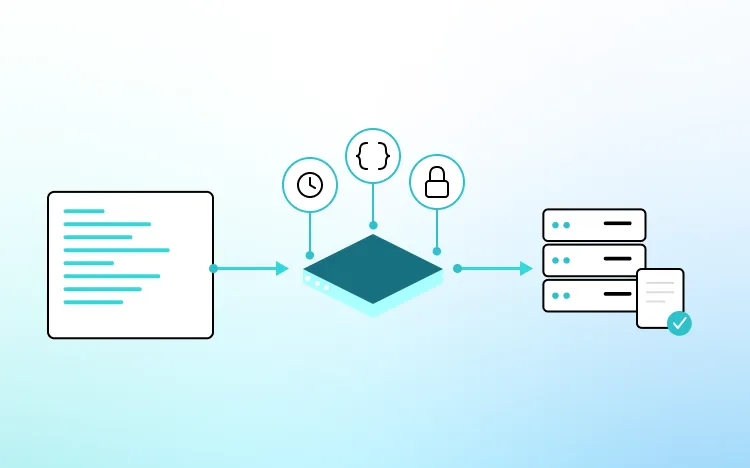
Session Initialization & Data Entry: The orchestrator launches a Virtual Terminal script task, using a parameterized YAML file to open a secure TN5250 session, navigate menus, and type the processing parameters directly into the interface.
Batch Job Submission: Once the data entry is scraped and verified on-screen, a SBMJOB command triggers the billing process.
Automated MSGW Interception: The integration actively polls the job; if a Message Wait (MSGW) state triggers, it safely auto-replies with the system default.
Spool File Extraction & Translation: Upon a successful finish, the integration retrieves the generated invoicing report spool file, translates it from EBCDIC, writes it directly to a network archive drive, and executes a graceful SIGNOFF to release all database locks.
Conclusion:
The IBM i (AS/400) Virtual Terminal integration transforms HCL Workload Automation into an invaluable modernization tool.
By automating manual green-screen interactions and handling complex batch recovery logic out of the box, it removes the risks of human error and operational silos—ensuring your trusted core legacy workloads run seamlessly around the clock.

Start a Conversation with Us
We’re here to help you find the right solutions and support you in achieving your business goals.