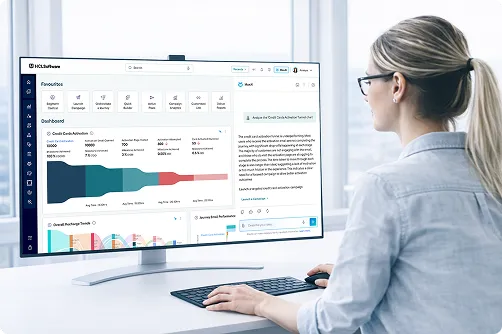
What is the HCL Unica+ Tech Preview?
HCL Unica+ represents the next major evolution of Unica. HCL Unica+ tech preview is an early access program that provides Unica patrons an opportunity to explore hands-on the features of upcoming updates to the platform. The next major revamp to the platform is scheduled around mid 2026 and the current tech preview showcases the features included in this update.
What is the main difference between HCL Unica and Unica+ in this release?
In HCL Unica+ 26.1, Unica and Unica+ are brought together. You no longer have to manage separate environments. It is a single, unified destination that combines core campaign management with advanced AI and modern omnichannel capabilities.
I am an existing Unica customer. Do I have to buy a completely new product to get AI?
No. HCL Unica+ 26.1 is designed to give our existing customers a clear path forward. You can seamlessly upgrade to the modernized Tango interface and add AI capabilities to your existing modules, like Campaign, through combined packaging options.
Will HCL Unica and Unica+ be sold separately?
To make purchasing highly flexible, HCL Unica and Unica+ will now be sold together. Customers have the option to purchase standalone Unica or standalone Unica+, but we are also introducing comprehensive bundles that include core Unica components alongside Unica+ features.
When does the preview begin and what is required?
The exclusive External Preview will launch at the mid of April. Selected participants will be granted early access to experience the new interface and capabilities. We ask that participants share their feedback through our dedicated survey and sync cadence to help us refine the platform ahead of the Official Launch Webinar at the end of May.
Does the Tech Preview include all the features of the GA release?
Since the Tech Preview is offered as an early access/preview to select areas of our upcoming GA release, not all features of the GA release will be available in the beta. Features related to deployment, performance, environment stack support and elements that may require 3rd party components will not be covered in the tech preview. The beta environment has also not been tuned for performance and logging levels are set appropriately to help troubleshoot issues.
Will there be training offered on the Tech Preview?
Yes. There will be a webinar hosted by us on Beta launch/enablement. The webinar will walk the participants through the program and provide a guided tour of the features in scope. In case you missed the webinar, a replay is
available.
When is the GA of the next platform updated to Unica+ ?
The next update to the HCL Unica+ is scheduled to be GA around 1st June.
What are the key features/ use cases included in the Unica+ Tech Preview?
Users will be able to test use cases across varying levels of complexity around the following areas:
- AI-Powered Marketing Intelligence
- Advanced Personalization & Decisioning
- Omnichannel Engagement Enhancements
- Customer Data & Audience Activation
- Platform Performance, Security & Reliability
By using a combination of the below capabilities :
Campaign with MaxAI, CDP, RTP (Web channel), Journey, Deliver, Audience/Segment/Offer Central, Dashboards, Workflows…
What are the key features and capabilities included in this Tech Preview?
Users will be able to test use cases utilizing new capabilities introduced across HCL Unica products. Key feature highlights include:
Campaign
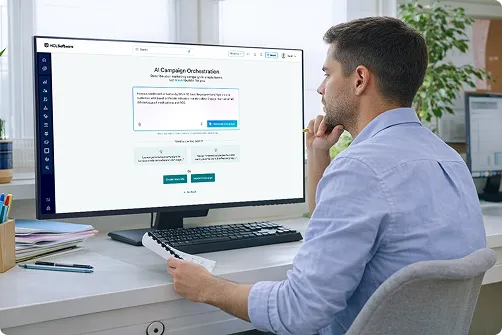
- AI-Assisted Campaign Design: MaxAI uses historical campaign insights to interpret natural language inputs and suggest campaign flowcharts. Marketers can start with a “Proven Flow” based on past successful campaigns or a “Fresh Draft” generated by AI, and preview the flow before execution.
MaxAI
- This update introduces Campaign AI for automated orchestration and upgrades the entire MaxAI suite to the latest OpenAI models for superior performance.
- We’ve prioritized security with new On-Prem LLM capabilities and expanded our predictive power with Product Propensity and Look-a-like ML models.
- To ensure data consistency, our Next-Best Action (NBC) and Send Time Optimization (STO) features are now aligned with a unified Canonical data model, delivering more precise and timely customer engagements.
Customer Data Platform (CDP)
- We have optimized Identity Management to seamlessly convert prospects to confirmed customers without losing engagement history. The Customer One View (COV) and Activity Logs have been redesigned for intuitive navigation and better trend visualization, while Segment Central now offers a simplified, guided workflow for real-time audience activation.
- Finally, we’ve strengthened our Technical Infrastructure with enterprise SSO, Flink-powered event processing, and a Java 17 upgrade for superior scale and security.
Real-Time Personalization (RTP)
- We are expanding RTP capabilities with native mobile support for iOS and Android, enabling seamless cross-channel personalization. This update also introduces native.
- A/B testing for data-driven experimentation and a centralized interface for managing touchpoints and triggered actions, significantly reducing setup time and streamlining cross-channel routing.
Journey
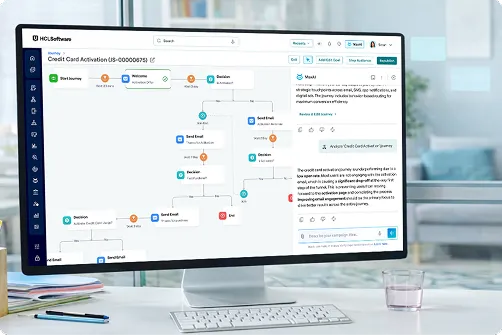
- New capabilities include AI enabled journey creation, improved audience path visibility, enhanced journey analytics filtering, richer data attribute options, SMS engagement tracking, notifications for communication template update and expanded messaging capabilities with RCS.
- In addition, performance and reliability improvements ensure smoother journey execution and better handling of high-volume interactions.
Deliver
- We’ve upgraded Push Notifications with a unified creation interface that supports rich personalization in URLs and data payloads for more engaging mobile experiences.
- Additionally, Communication Workflows are now more efficient, featuring one-click editing, template duplication, and improved WhatsApp tracking, all designed to reduce navigation time and simplify content management.
How do I access the test environment?
You can access the HCL Unica Beta Environment here
I am an internal HCL Tech Preview participant. How do I request credentials for accessing the Beta environment?
If you have previously participated in the HCL Unica Tech Preview, you can continue to access the environment with your existing credentials. If this is your first time participating in the Tech Preview, please follow these instructions:
I am a customer/partner participating in the Tech Preview. How do I request credentials for accessing the Test environment?
If you have previously participated in HCL Unica 25.1 Tech Preview, you can continue to access the
Test environment with your existing Login. Please make sure to clear your browser cache before you access the environment
If this is your first time participating in the Tech Preview, please follow these instructions:
- Send an email to unica.beta@hcl-software.com requesting access. Please provide your first and last name, company name and country where you are located.
- In response, you will receive an email with the Pre-Release Agreement attached. Please review the document and respond with your confirmation to abide by that agreement. Just an email affirmation is fine. You do not need to print or actually sign the document.
Can I access the Test environment anytime?
Yes. HCL Unica will make every effort to keep the beta environment available 24x7 during the course of the Tech Preview. If you have any issues accessing the environment, please notify us at unica.beta@hcl-software.com with the subject "Unica Test Environment Availability" and our support team will assist you on the issue. Please note that support on weekends may be limited.
I am having issues accessing the Test environment. What should I do?
If you have any issues accessing the environment, you can let us know by creating a quick ticket on our
Feedback Portal, with the Feedback Type as Access Issue.
You may please notify us at
unica.beta@hcl-software.com with the subject "Unica Test Environment Access" and our support team will assist you on the issue. Please note that support on weekends may be limited.
Are there any best practices to be followed during the Tech Preview?
Unica recommends participants follow these suggested best practices to get the best out of this program:
- Since this is a shared environment, organize your work in the application into folders as and when applicable.
- Choose folder names that are easy to search,access and reflect your usage. In case of privacy concerns, use generic names (For example: customer_1234)
- When testing email/SMS, please configure your target audience judiciously to ensure there is no spamming. Refer to the relevant videos for more details
- Confine your exploration to features outlined in the scope of the tech preview and provide feedback related to it
- In case of any issues with the environment, please email to unica.beta@hcl-software.com for support
We currently have a HCL Unica deployment. Is there anything I need to be aware of when switching between the HCL Unica Unica+ test environment and my current Unica deployment?
We recommend clearing your browser cache on Google Chrome when accessing different Unica versions (test and your current deployment of Unica).
How do I provide feedback on a specific feature or function included in the Beta?
We have created a
Feedback Portal where you can easily and quickly provide detailed feedback on your testing and your needs. Feedback can be provided on various categories like: Reporting Defects, Raising Questions, Requesting New Features, Reporting Access Issues and others.